ChatGPT Images 2.6 brings GIFs to every plan. The new API models cost the same but skip Batch.
OpenAI's November 4 update adds animated GIFs and saved reference images to ChatGPT and Codex, plus two API models, GPT-Image-2.6 Flare and Sunburst. What is confirmed, what the new models cost, and why Batch users should stay on 2.5 for now.
November 5, 2026
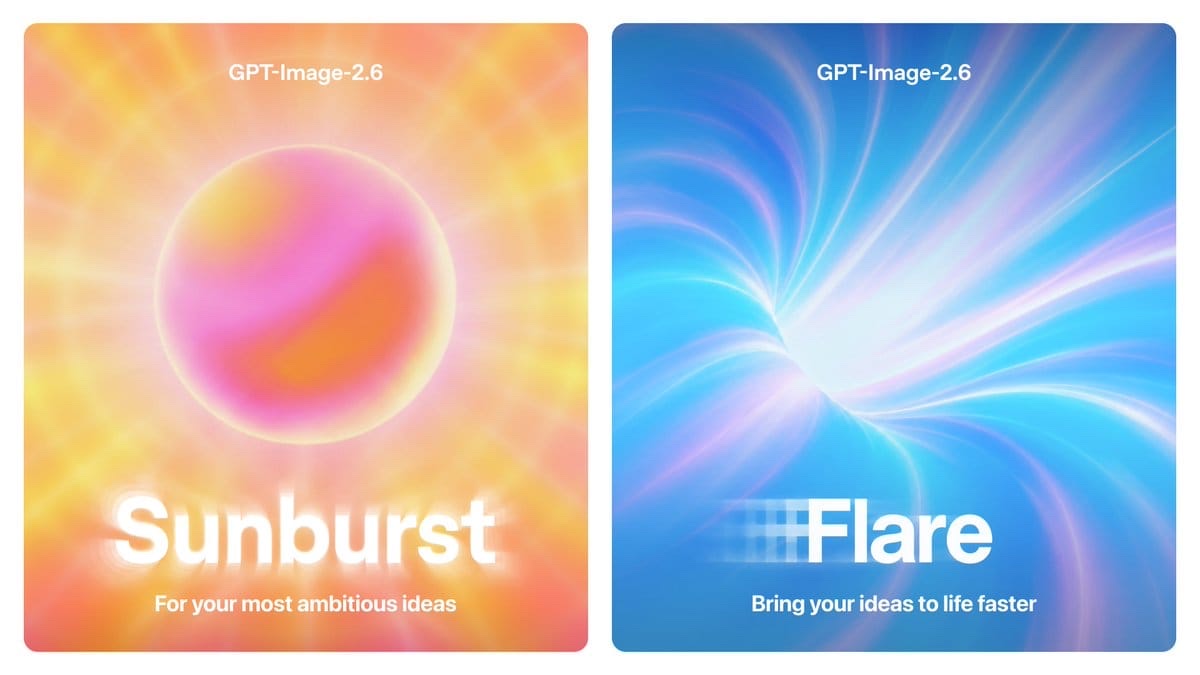
OpenAI released ChatGPT Images 2.6 on November 4, about two months after Images 2.5. The update brings animated GIFs to ChatGPT and Codex, lets you save reference images for reuse, and comes with two new API models, GPT-Image-2.6 Flare and GPT-Image-2.6 Sunburst. "Images 2.6 is available today in ChatGPT, and Codex across all tiers on web, desktop, and mobile," OpenAI posted on X.
For people who make images in ChatGPT, this is a feature update. For developers who pay for GPT Image in the API, the important details are in the documentation: token prices are unchanged, but the new models cannot run through the Batch API, which is where OpenAI's half-price rate lives.
What OpenAI has confirmed
The details below come from OpenAI's announcement, the company's developer forum post and the November 4 entry in its API changelog.
- GIFs in ChatGPT: you can "turn a prompt or image into an animated GIF. Adjust the speed, edit individual frames, and share it on repeat," OpenAI wrote. These are short loops built from a series of frames, not video.
- Saved references: you can keep reference images of yourself, pets and characters and reuse them in new images without uploading them again. "Save once. Create again and again," OpenAI wrote.
- Speed: OpenAI says image generation is 50% faster, and that Flare "generates images in as little as six seconds."
- Two API models: Flare is the speed option. Sunburst "brings higher-quality generation and greater consistency across edits," according to the forum post.
- New API options: the changelog lists adjustable complexity, SVG generation and animated GIF generation for both 2.6 models. Markup-guided editing, where you annotate an image to show what should change, now works with the 2.5 and 2.6 models.
- Scale: OpenAI says it now generates more than 4 billion images a week across ChatGPT and the API, up from 3 billion in September, according to Crypto Briefing and TestingCatalog.
What the new models cost
On OpenAI's pricing page, gpt-image-2.6-flare and gpt-image-2.6-sunburst have the same rates as each other, as both 2.5 models and as gpt-image-2. Per 1 million tokens at standard rates:
- Text input: $5.00, or $1.25 cached
- Image input: $8.00, or $2.00 cached
- Image output: $30.00
Three details on the model pages matter more than the rate card.
- No Batch: the Flare and Sunburst pages list only the image generation and image edit endpoints, and mark Batch as not supported. The 2.5 models do support Batch, where image output costs $15 per million tokens, half the standard rate.
- No pinned snapshot: each 2.6 model has a single alias. GPT-Image-2.5 Flare can be pinned to the dated snapshot gpt-image-2.5-flare-2026-09-08, which keeps results stable if the alias is updated later.
- Same rate, not the same bill: you pay per output token, and OpenAI's image generation guide says token counts can differ by model and quality. The guide's per-image cost table does not list the 2.6 models, so test with your own prompts and check the token usage in each response before you move a high-volume job.
How the new API features work
OpenAI's guide and API reference cover details the announcement leaves out.
- GIFs: set the output format to GIF on the generation or edit endpoint. The API reference allows 2 to 16 frames (9 by default), each shown for 20 to 2,000 milliseconds (200 by default), so the default loop lasts 1.8 seconds. Streaming and partial images are not supported.
- SVG: available on the generation endpoint only, one image per request. The output is static vector code with no scripts, external resources or embedded raster images. You pay the image model's rate for a reference image the API creates first, plus the tokens used to write the SVG.
- Complexity: low, medium or high, with high as the default and no separate fee. OpenAI suggests lower settings for focused edits such as changing a background, and warns that higher settings can add latency and introduce unwanted changes.
- Markup: send a transparent PNG annotation layer the same size as the original image, plus a prompt that describes the change. There is no extra fee for markup-guided edits.
What is still unclear
- ChatGPT limits: OpenAI's launch posts do not give per-plan limits for GIFs or saved references, or say how a GIF counts against your image allowance.
- Rollout: OpenAI says every tier, but Crypto Briefing describes a gradual rollout, so the GIF option may not show up on every account right away.
- Batch and snapshots: the 2.6 model pages give no date for Batch support or dated snapshots.
- Per-image cost: there are no official per-image estimates for 2.6 yet, only the per-token rates.
What this means for you
- If you make images in ChatGPT: saved references are the most practical change if you keep producing the same person, pet, mascot or product, since you no longer re-upload the photo each time. If you do not see GIFs yet, the rollout may not have reached your account.
- If you need short animations: according to TestingCatalog, OpenAI pitches GIFs for characters, mascots, product shots, reactions and storyboards. They are frame loops, so for clips with real motion and sound you still need a video tool.
- If you run image jobs through Batch: stay on gpt-image-2.5-flare or gpt-image-2.5-sunburst for now. Moving to 2.6 at the standard rate doubles the image output rate, from $15 to $30 per million tokens.
- If you call the API in real time: try Flare where response time matters and Sunburst for multi-step edits where consistency matters. Compare token counts on your own prompts first, and keep a pinned 2.5 snapshot if you need stable output.
- If you need logos or icons: SVG output can save a separate vectorizing step. Check each file before production use, since the vector is written from a raster reference.
- If you are choosing an image tool: our ChatGPT vs Midjourney, ChatGPT vs Ideogram and GPT Image vs Midjourney comparisons cover the trade-offs.
Images 2.6 makes ChatGPT more useful for repeat work with the same characters and products, at no change to the token price. The catch is on the API side: until the 2.6 models support Batch and dated snapshots, the 2.5 models remain the cheaper and more predictable choice for bulk jobs.
Sources: OpenAI, OpenAI Developer Community, OpenAI on X, OpenAI API changelog, OpenAI API pricing, OpenAI image generation guide, Crypto Briefing, TestingCatalog.
Tools mentioned in this article
Some links in this article are affiliate links. Learn more.