Claude Desktop Creates 1.8 GB VM on Every Launch
Claude Desktop spawns large Hyper-V virtual machines during startup regardless of whether users need advanced features, consuming significant system resources even for basic chat-only sessions.
June 15, 2026
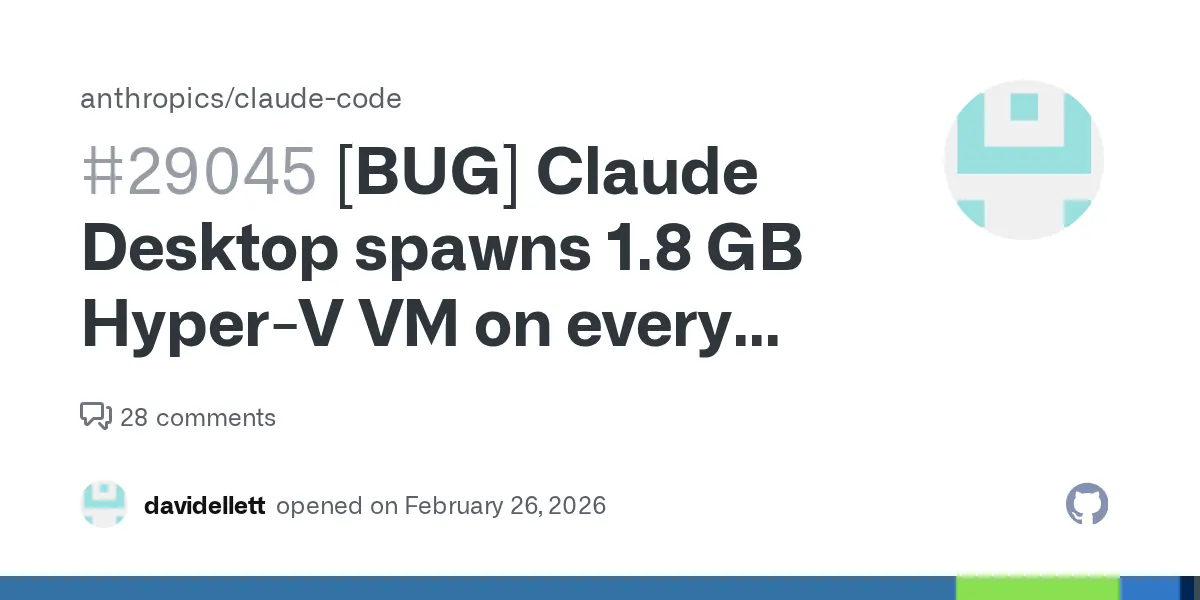
Twelve months ago, Claude Desktop was a straightforward chat client. You opened it, it connected to Anthropic's API, and you typed. The resource footprint was unremarkable. Today, if you are running Windows, opening Claude Desktop for a simple conversation triggers the creation of a 1.8 GB Hyper-V virtual machine before the first token is generated.
The GitHub issue filed against the claude-code repository describes the behavior clearly: the VM spins up on every launch, regardless of whether the user intends to run any code execution features. A user asking Claude to draft an email or review a document is paying the same infrastructure tax as someone running a full agentic coding session. That asymmetry is the problem.
Claude Desktop vs. the alternatives for non-agentic use
| Client | Background processes on launch | Cold start time (approx.) | Memory overhead (chat-only) | Virtualization required |
|---|---|---|---|---|
| Claude Desktop (current) | Hyper-V VM, WSL2 environment | 15-25 seconds on mid-range hardware | ~2 GB RAM committed | Yes, unconditional |
| Claude via browser | None beyond browser tab | 2-4 seconds | 300-500 MB typical tab | No |
| ChatGPT desktop app | Electron renderer, no VM | 4-8 seconds | 400-700 MB | No |
| Gemini (browser/PWA) | None beyond browser | 2-5 seconds | 250-450 MB | No |
The numbers above are approximate, drawn from user reports in the GitHub thread and comparable Electron app benchmarks. They will vary by machine. But the directional picture is accurate: Claude Desktop currently costs significantly more system resources at rest than any competing chat interface.
For a developer who actually uses Claude Code's code execution features, the VM overhead is justified. The sandboxed environment is what makes it safe to run untrusted generated code. For everyone else, it is a tax that buys nothing.
If you only need chat, the browser interface at claude.ai is the correct tool right now. If you need desktop integration and MCP tool use without code execution, watch the GitHub issue for a lazy-initialization fix before committing to the desktop client.
RAM consumption, Hyper-V side effects, and enterprise provisioning failures
Memory is the obvious line item. 1.8 GB committed to a Hyper-V VM is not recoverable by other applications until the VM is released, which on some configurations means until Claude Desktop is fully closed. On a machine with 16 GB RAM, that is 11% of total system memory allocated to a chat window before any model inference runs locally. On an 8 GB machine, the math is considerably worse.
The less obvious cost is Hyper-V enablement itself. Running Hyper-V on Windows changes how the kernel interacts with hardware virtualization. Some users in the thread report that having Hyper-V active degrades performance in applications that use their own virtualization layer, including certain game engines, older Android emulators, and VMware Workstation below version 16. If a developer has historically kept Hyper-V disabled for those reasons, Claude Desktop silently requires them to enable it.
1.8 GB
Hyper-V VM committed on every Claude Desktop launch, including chat-only sessions
Setup friction is real too. IT-managed machines in enterprise environments commonly restrict Hyper-V access. A developer trying to install Claude Desktop on a corporate laptop may find that the application fails to function correctly not because of any policy against AI tools, but because the VM cannot be provisioned without elevated privileges. That is a category of problem that does not appear in the application's system requirements, and it will generate support tickets.
Migration risk is low in one direction: switching back to the browser client loses nothing except native OS integration features like global keyboard shortcuts and tray persistence. For teams evaluating whether to standardize on Claude Desktop, the resource profile makes that decision harder to justify without a documented fix timeline from Anthropic.
Why engineers are not letting this one go quietly
"This is not about the memory per se - it is about the fact that there is no lazy loading, no opt-out, and no documentation that this would happen. I enabled Hyper-V to use Claude Desktop and broke my Android emulator setup. That is a real cost."
- Comment from the GitHub issue thread, June 2025
That comment captures something the headline number does not. The complaint is not really about 1.8 GB. Engineers running development workloads routinely commit more than that to Docker containers, build caches, and language servers without protest. The complaint is about consent and transparency.
When an application enables a Windows feature (Hyper-V), alters kernel-level virtualization behavior, and commits significant system resources, without disclosing any of this in onboarding or system requirements, users have no basis to make an informed decision. The discovery typically happens after the fact: a performance regression in another tool, a failed enterprise policy check, a task manager investigation.
Anthropic's architecture choice is defensible in isolation. Sandboxed code execution requires a VM. Bundling that capability into a desktop client makes the feature more accessible. But the implementation decision to initialize that VM eagerly, on every launch, regardless of session intent, is where the engineering judgment falls short. Lazy initialization, triggered only when a code execution feature is actually invoked, would preserve the capability while eliminating the cost for the majority of sessions.
The mechanism the feature page skips
Claude Desktop's code execution capability requires an isolated environment because executing arbitrary generated code on the host system is a serious security risk. Anthropic chose a Hyper-V VM to provide that isolation on Windows, which is a reasonable choice. WSL2 itself is backed by Hyper-V, so if the decision was to ship WSL2-compatible tooling, the dependency is architectural, not incidental.
The problem is that software products routinely make the mistake of treating capability availability as equivalent to capability use. The VM exists so that code execution is possible. But possible is not the same as active. A word processor does not spin up a print server on launch because printing is a feature. It initializes the print subsystem when you press Ctrl+P.
Claude Desktop's current behavior suggests that the code execution environment was built first and the chat interface was layered on top, rather than the reverse. If chat had been the primary design surface and code execution an optional extension, the initialization order would probably look different. This is a reasonably common pattern when a developer-facing tool, built for agentic coding tasks, gets repackaged as a general-purpose assistant. The internals reflect the original use case even when the target audience broadens.
The Claude Code ecosystem has been evolving quickly, and some of that velocity creates integration seams where assumptions from one context get inherited by another. This VM behavior is probably one of those seams. It does not look like a deliberate product decision so much as an engineering default that was never revisited as the application's user base expanded beyond developers.
A specific scenario: the laptop with 16 GB RAM, no coding intent
Consider a product manager who added Claude Desktop to their Windows laptop three weeks ago. They use it for drafting documents, summarizing meeting transcripts, and occasionally asking questions about data in a spreadsheet. No code generation. No terminal integration. The Claude Desktop Buddy workflow they follow is entirely conversational.
On a 16 GB machine running Chrome with eight tabs, Slack, Figma, and Outlook, available RAM before opening Claude Desktop is roughly 6-7 GB. After Claude Desktop launches, that drops to 4-5 GB, with 1.8 GB committed to a Hyper-V VM that will never execute a single line of code during the session. Chrome starts aggressively discarding background tabs. Figma's canvas slows on large files. The user notices their laptop "got slower" after installing Claude but cannot identify why, because nothing in Claude's interface indicates a VM is running.
This is not a contrived edge case. It is the default experience for any non-technical user who chose the desktop client because it seemed more polished than the browser tab. The resource impact is invisible, the cause is not documented, and the solution, for now, is to uninstall the desktop client and return to claude.ai in the browser.
For users comparing AI assistant options, the Claude vs. Gemini decision currently includes an undisclosed hardware dimension on Windows. Gemini's web interface carries no equivalent overhead.
What to do this week if you run Claude Desktop on Windows
Open Task Manager, go to the Performance tab, and check Hyper-V in the CPU section. If it shows as enabled and you did not enable it yourself, Claude Desktop likely activated it. Then open the Memory tab and note how much is committed versus available before and after launching Claude Desktop. If the delta is close to 1.8 GB, you are reproducing the behavior from the issue.
From there, decide based on your actual use:
- If you use Claude Code features or any code execution within Claude Desktop, the VM is load-bearing. Leave it. The tradeoff is intentional for your workflow.
- If you use Claude Desktop exclusively for chat, drafting, or document work, switch to the browser interface at claude.ai until Anthropic ships a fix. You lose the native OS integration but recover the full 1.8 GB.
- If you are on a managed enterprise machine and Hyper-V is policy-restricted, file the GitHub issue link with your IT team now. It gives them the technical context they will need when the support ticket eventually arrives.
Then add a watch on the GitHub issue directly. Anthropic engineers are active in that thread. When a lazy-initialization approach ships, it will appear there before it appears in release notes.
Tools mentioned in this article
Some links in this article are affiliate links. Learn more.