AI Workflows Promise Automation. Reality Demands Expertise.
A Reddit discussion surfaces a persistent pain point: multi-agent AI systems look seamless in demos but demand significant setup complexity in practice. Users question whether the operational burden outweighs actual productivity gains.
September 6, 2026
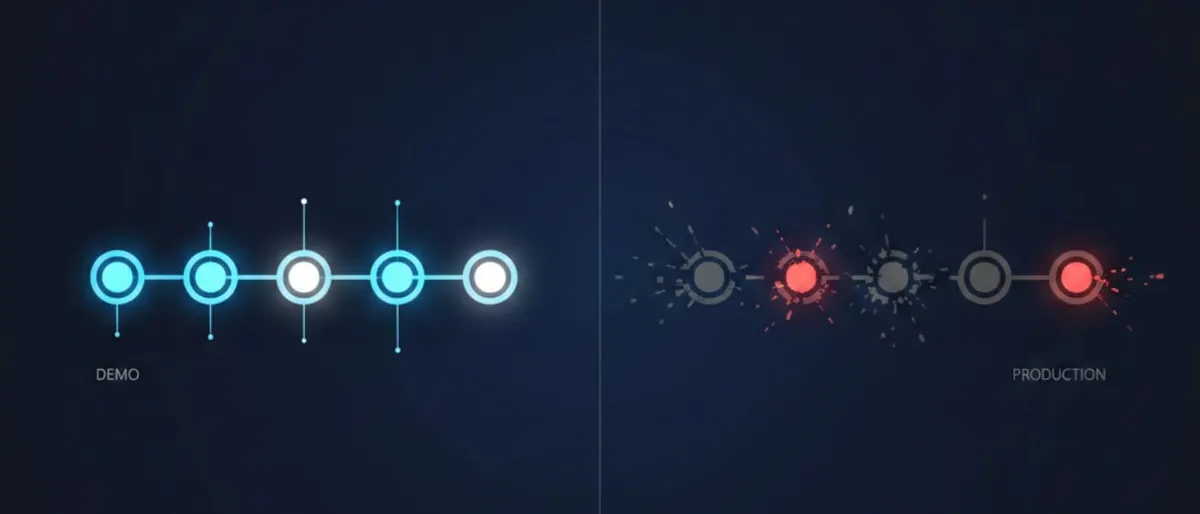
A Reddit thread in r/artificial this week asks the question a lot of people building with AI have been quietly avoiding: what if the workflow automation layer is the part that is actually slowing things down? The original poster describes setting up a multi-agent pipeline that was supposed to save hours a week and instead cost them a weekend of debugging, plus an ongoing maintenance tax nobody mentioned in the demo video. That gap between the pitch and the upkeep is the real story here, not whether AI agents work in principle.
A five-agent content pipeline that needed two humans to babysit it
Picture a small marketing team, three people, trying to automate their blog production. The plan looks clean on a whiteboard: one agent pulls topic ideas from search trend data, a second drafts an outline, a third writes the draft using ChatGPT or Claude, a fourth checks facts and tone, a fifth schedules and publishes through the CMS. Built in n8n, it runs on triggers and webhooks, each agent handing off to the next.
In the demo, this takes four minutes end to end. In production, it takes four minutes when everything goes right, and something goes wrong roughly one run in five. The fact-checking agent occasionally flags a correct sentence as unverifiable and blocks the pipeline. The scheduling agent sometimes publishes before the review step finishes, because a webhook fires out of order under load. None of this is exotic. It is the ordinary mess of distributed systems, except now the "system" includes a language model that behaves a little differently depending on temperature settings, prompt drift, and which day you happened to run it.
The team ends up with one person watching a dashboard for failed runs and another person manually re-triggering steps. That is not zero labor. It is different labor, and for a three-person team, different labor that requires someone to understand five agent configurations is not obviously cheaper than writing the blog post themselves.
Auditing a workflow before you add another agent
If you are building something similar and want to know whether the automation is actually paying for itself, run this before you add a sixth agent to the chain.
- List every step in the pipeline and mark which ones require a human to check the output before the next step runs. If more than a third of your steps need a human check, the workflow is not autonomous, it is a checklist with extra latency.
- Log failure rate per agent for two weeks. In
n8norMake, this means turning on execution logging and tagging failures by node, not just by workflow. - Calculate time spent on maintenance versus time saved on the original task. Be honest about debugging time, prompt tweaking, and re-runs. Use a spreadsheet, not a guess.
- Cut any agent whose failure rate is above 15 percent and whose task could be done in under two minutes manually. That threshold is arbitrary but useful. Automation that fails often on a fast task is rarely worth the setup cost.
- Replace multi-agent handoffs with a single well-prompted model call where possible. A single call to Gemini or GPT-5 with a longer, more explicit prompt often replaces three narrow agents with fewer failure points.
Verification test: run the trimmed pipeline for one week and compare the number of manual interventions against the prior week. If interventions did not drop, the problem was not the number of agents, it was the underlying prompt or data quality, and no amount of orchestration will fix that.
| Symptom | Likely cause | Fix |
|---|---|---|
| Pipeline blocks on false-positive checks | Overly strict validation agent | Loosen threshold or replace with a single review step |
| Steps run out of order | Async webhook race condition | Add explicit wait/confirm nodes |
| Output quality drifts week to week | Model version or prompt drift, no fixed seed/temperature | Pin model version, log prompts with outputs |
The line in the thread worth sitting with
The demo always shows the happy path. Nobody posts a video of the agent getting stuck in a loop asking itself whether the summary is accurate enough.
That is the honest complaint underneath the whole Reddit thread: multi-agent demos are built to show the moment everything works. Real deployments spend most of their time in the failure branches, and those branches are rarely designed with the same care as the main path. A workflow that has five happy-path steps and zero handling for the fact that a model occasionally refuses a task, hallucinates a field, or times out, is not a finished product. It is a prototype wearing a production label.
This is not an argument against agent frameworks like Goose or AgentOS, or against orchestration tools like Gumloop. It is an argument for budgeting the failure-branch work at the same weight as the happy-path work when you scope a project. Teams that skip this step are the ones showing up in threads like this one, wondering why the thing that was supposed to save time now needs a person assigned to watch it.
The choice between Make and n8n or between a single-model prompt and a five-agent chain is smaller than the choice of how much failure handling you are willing to build before you call the workflow done. Related reading on where the automation hype outruns what ships: separating LLM hype from reality and our notes on running current models yourself if you want more control over the failure modes instead of trusting a hosted agent to handle them gracefully.
Checklist before you trust the automation
- Confirm the failure rate per step is logged and reviewed weekly, not just the overall success rate
- Confirm at least one person can explain what happens when each agent in the chain fails, not just when it succeeds
- Confirm the time saved by the automation, measured over two weeks, exceeds the time spent maintaining it
- Confirm you have tested what happens under load, not just on a single clean run
- Confirm you could remove one agent from the chain and replace it with a manual step without breaking the rest of the pipeline
Tools mentioned in this article
Some links in this article are affiliate links. Learn more.