Tiptap AI Toolkit
SDK that lets AI models make reviewable, schema-aware edits inside Tiptap rich-text documents
What is Tiptap AI Toolkit?
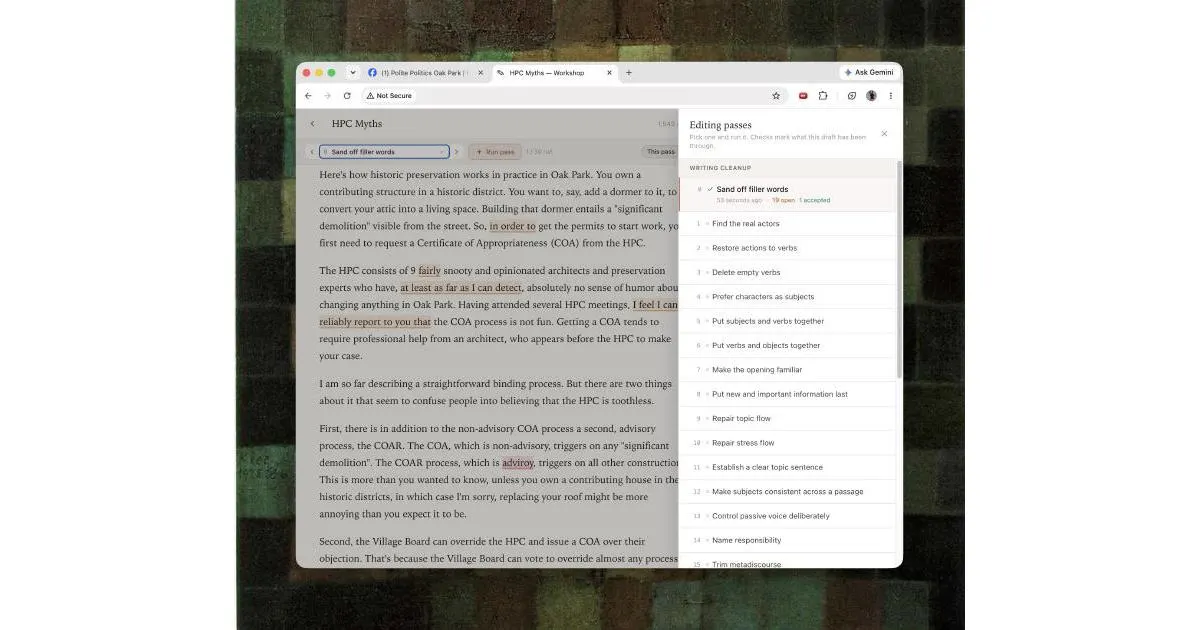
Tiptap AI Toolkit connects AI models to the Tiptap rich-text editor so they can read, insert and patch document content in real time while respecting the document schema. AI edits can appear as suggestions users accept or reject, with attribution and streaming output, and it also supports multi-document and background jobs. It is model-agnostic and works with the Vercel AI SDK, LangChain.js, the Anthropic SDK and the OpenAI SDK.
Score breakdown (out of 5)
What you would use it for
- →Building collaborative document editors
- →Creating AI-assisted writing applications
- →Integrating smart text editing into SaaS products
Pros & Cons
👍 Pros
- ✓Flexible and developer-friendly
- ✓Supports collaborative editing
- ✓Integrates into existing projects without major refactoring
👎 Cons
- ✗Pricing plans are not clearly documented on the website
- ✗Implementation requires development knowledge
Key Features
- ✓ AI content generation
- ✓ Real-time collaboration
- ✓ Headless editor
- ✓ Framework-agnostic
- ✓ Customizable extensions
Available on
Integrates with
Tiptap AI Toolkit Pricing
Start
- ✓$59/mo billed monthly
- ✓500 cloud docs per environment
- ✓30-day free trial, no card
Team
- ✓$179/mo billed monthly
- ✓5,000 cloud docs per environment
- ✓30-day free trial, no card
AI Toolkit add-on
- ✓Add-on to an active Tiptap subscription
- ✓Contact sales
From the blog
Developer resources
Related Tools
Claude is the best AI assistant for long-document work and research where accuracy matters. Its context window of up to 1M tokens and resistance to sycophancy make it the honest choice when you need a thinking partner rather than an agreeable assistant. Start on the free tier; the Pro plan at $20/month is worth it if you regularly hit daily limits.
ChatGPT is the most capable all-in-one AI assistant available. Its combination of image generation, voice mode, code execution, web browsing, and a large custom GPT ecosystem makes it the default choice for users who want one tool that handles everything. The tradeoff is that it is rarely the deepest tool on any single task.
Cursor is the most powerful AI code editor available. Its multi-file editing is ahead of plugin-based alternatives, making large-scale refactors practical in ways GitHub Copilot cannot match. At $30/month for Premium (Grok models included, other models billed at API rates) it is a meaningful upgrade for any developer doing more than small isolated changes.
GitHub Copilot is the right starting point for developers adopting AI-assisted coding. It integrates into whatever editor you already use, requires no workflow change, and has a usable free tier. The Pro plan at $10/month is the lowest-cost path to unlimited AI completions, though chat and agent work now draw from a monthly credit allowance; heavy agent users should look at Pro+ ($39) or Max ($100).
This page contains affiliate links. We may earn a commission at no extra cost to you. Learn more.