ChatGPT Work
Agent mode in ChatGPT that carries out multi-step work across your apps and files
What is ChatGPT Work?
ChatGPT Work is an agent inside ChatGPT, launched by OpenAI in July 2026 and built on Codex, that takes a goal and works on it across connected apps and files, sometimes for hours, to produce finished output such as reports, analyses and presentations. It can also run recurring tasks and checks in when it needs your approval. It is available on all plans in the macOS and Windows desktop apps (with limited use on Free and Go), and on web and mobile for Plus, Pro, Business, Enterprise and Edu. Pro, Business and Enterprise also get Space, a shared team workspace.
Since November 17, 2026 Work runs OpenAI's GPT-6.2 Astra and GPT-6.2 Sol on Plus, Pro, Business, Enterprise and Edu. New Work chats default to Sol at Light reasoning effort on consumer plans and at Medium in Enterprise workspaces, where admins must first enable the models. OpenAI says more than 1,400 plugins can supply context, and on the same day it added ChatGPT for Sales, an OpenAI-built Sales plugin with more than 30 new or updated partner plugins such as Salesforce, HubSpot and Gong. OpenAI told users by email on November 2, 2026 that it will fold Work into the main Chat tab, starting with a limited group, and that ChatGPT and Codex will draw from one usage allowance from December on Plus, Pro and Business. (An earlier version of this page described a different product, which was incorrect.)
Score breakdown (out of 5)
What you would use it for
- →Compiling research reports
- →Analyzing files and data
- →Drafting presentations
- →Running recurring reports and check-ins on a schedule
- →Sales account research and pipeline reviews with the Sales plugin
Pros & Cons
👍 Pros
- ✓Included in existing ChatGPT plans
- ✓Can run long multi-step and recurring tasks
- ✓Runs OpenAI's newest GPT-6.2 models on every paid plan
👎 Cons
- ✗Long tasks consume plan usage limits, and from December 2026 Work and Codex share one allowance
- ✗Free and Go get limited use, in the desktop apps only
- ✗OpenAI plans to fold Work into the main Chat tab, so the interface is changing
- ✗Results should be checked before use
Key Features
- ✓ Goal-driven agent inside ChatGPT, built on Codex
- ✓ GPT-6.2 Astra and GPT-6.2 Sol on paid plans since November 17, 2026
- ✓ Works across connected apps and files, with more than 1,400 plugins
- ✓ ChatGPT for Sales plugin and 30+ partner sales plugins (November 2026)
- ✓ Produces reports, analyses and presentations
- ✓ Recurring tasks that check in when approval is needed
- ✓ Space shared workspace on Pro, Business and Enterprise
- ✓ Desktop apps on all plans; web and mobile on paid plans
Available on
Integrates with
ChatGPT Work Pricing
✅ ChatGPT Work has a free plan - no credit card required to start.
Go
- ✓ChatGPT Work in the desktop apps only, with limited usage
- ✓US price; localized elsewhere
Plus
- ✓ChatGPT Work on desktop, web and mobile
- ✓GPT-6.2 Astra and GPT-6.2 Sol (default: Sol at Light effort)
- ✓Shares usage with Codex from December 2026
Pro
- ✓Longer ChatGPT Work and Codex sessions
- ✓GPT-6.2 Sol Ultrafast on Pro $200; Ultrafast for both GPT-6.2 models on Pro $500
- ✓Space shared workspace
Business
- ✓2+ users
- ✓Admin controls, including which plugins members can install
- ✓GPT-6.2 Astra and GPT-6.2 Sol
- ✓Space shared workspace
Enterprise / Edu
- ✓GPT-6.2 models available once an admin enables them (default: Sol at Medium)
- ✓Ultrafast on eligible workspaces
- ✓Space shared workspace on Enterprise
From the blog
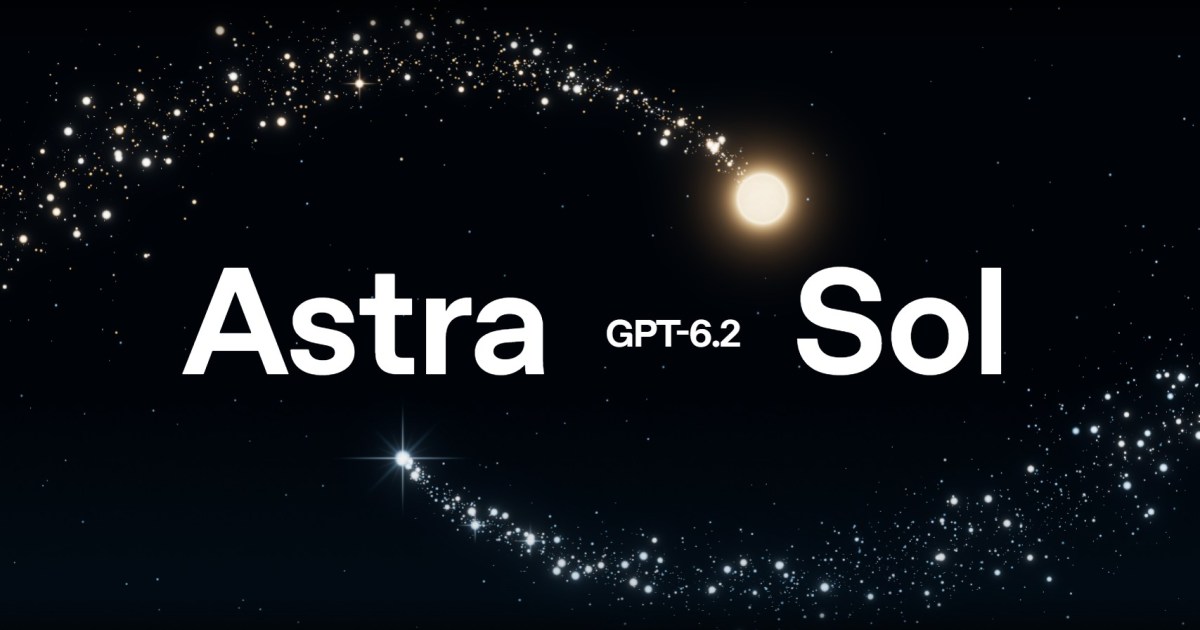
GPT-6.2 Astra costs 20% less than GPT-6 Astra, matching Claude Fable 5.2. Sol stays at $2/$10.
OpenAI's GPT-6.2 Astra and Sol arrived November 17 in ChatGPT Work, Codex, the API and GitHub Copilot. Who gets them, what changed in pricing, OpenAI's benchmarks, and how Claude and Gemini list prices compare.
Nov 18, 2026

ChatGPT Wallet lets dots pay with your credit card. Wrong orders still go to the store and your bank.
ChatGPT Wallet, launched November 13 for US Pro subscribers, lets dots check out on store websites after a biometric approval. Who gets it, who handles refunds, what sellers must check, and how Google, Amazon and Perplexity compare.
Nov 17, 2026

Adobe's Firefly Builder is waitlist-only and its local MCP lands in 2027. The connectors work today.
At MAX on November 10, Adobe announced Firefly Builder, local MCP integrations for Creative Cloud and a deeper Google deal. What designers and small teams can use now, how Figma Make compares, and what Adobe has not priced.
Nov 11, 2026
Developer resources
Related Tools
Claude is the best AI assistant for long-document work and research where accuracy matters. Its context window of up to 1M tokens and resistance to sycophancy make it the honest choice when you need a thinking partner rather than an agreeable assistant. Start on the free tier; the Pro plan at $20/month is worth it if you regularly hit the free usage limits, and Max ($100/month) or Ultra ($200/month) suit heavier daily use.
ChatGPT is the most capable all-in-one AI assistant available. Its combination of image generation, voice mode, code execution, web browsing, and a large custom GPT ecosystem makes it the default choice for users who want one tool that handles everything. The tradeoff is that it is rarely the deepest tool on any single task.
Jasper is the leading AI writing platform for marketing teams. Brand Voice, Campaigns, and workflow templates make it the most structured choice for organizations needing consistent output across multiple writers and channels. The pricing reflects an enterprise positioning; individuals who primarily need AI writing will find ChatGPT or Claude cheaper.
Make is the most visually capable automation platform available. Its canvas-based interface makes complex multi-step workflows easier to reason about than Zapier's linear format. The free tier is generous enough for light use, and paid plans offer strong value for teams automating high-volume processes.
This page contains affiliate links. We may earn a commission at no extra cost to you. Learn more.