DeepSeek
The open-source Chinese AI model that benchmarks near GPT-4 at a fraction of the cost
Editorial take
DeepSeek V3 and R1 represent the best value in the model market for coding and reasoning tasks. MIT-licensed and self-hostable, they offer near GPT-4 performance at a fraction of the API cost. The main caveat is data privacy: the hosted API is operated in China, which rules it out for regulated industries.
What is DeepSeek?
DeepSeek is a family of large language models developed by a Chinese AI lab that made headlines in early 2025 for matching or exceeding GPT-4-class performance on coding and reasoning benchmarks while being far cheaper to run. DeepSeek-V3 and DeepSeek-R1 (its reasoning model) are fully open-source under the MIT license, which means they can be self-hosted, fine-tuned, and run on your own infrastructure.
The models are available via DeepSeek's own API at prices significantly below OpenAI's API rates. DeepSeek-R1 is a reasoning model comparable to OpenAI's o1, with chain-of-thought reasoning shown in its responses. Both models are supported in popular AI coding tools like Cursor, allowing developers to use DeepSeek as a backend.
The main caveats are data privacy (the service is operated in China, which raises concerns for regulated industries) and content moderation that differs from Western norms. For cost-sensitive developers and researchers who can self-host, DeepSeek is one of the most capable open-source options available.
Best for
Cost-sensitive developers and researchers needing GPT-4 class performance
Key strength
Open-source GPT-4 class model at a fraction of the API cost
Score breakdown (out of 5)
What you would use it for
- →Using a GPT-4 class coding model at significantly lower API cost than OpenAI alternatives
- →Self-hosting a capable open-source model on your own infrastructure under the MIT license
- →Chain-of-thought reasoning tasks using R1's visible thinking process
- →Replacing more expensive API calls in existing OpenAI-compatible integrations via drop-in swap
- →Running local inference for privacy-sensitive development workflows via Ollama or LM Studio
Pros & Cons
👍 Pros
- ✓Among the cheapest API rates for GPT-4 class performance
- ✓Fully open-source - self-host with no ongoing licensing cost
- ✓R1 reasoning model is a genuine alternative to OpenAI o1
- ✓OpenAI-compatible API works with existing integrations
👎 Cons
- ✗Operated in China - data privacy concerns for regulated industries
- ✗Content moderation differs from Western models on sensitive topics
- ✗Self-hosting requires substantial GPU hardware
- ✗API reliability can vary during peak demand
Key Features
- ✓ DeepSeek-V3: strong general-purpose model for code and writing
- ✓ DeepSeek-R1: reasoning model with visible chain-of-thought
- ✓ Open-source MIT license - self-hostable
- ✓ OpenAI-compatible API - drop-in replacement
- ✓ Available in Cursor, LM Studio, and other tools
- ✓ Significantly cheaper API rates than GPT-4 class models
Available on
Integrates with
DeepSeek Pricing
✅ DeepSeek has a free plan - no credit card required to start.
Free (Chat)
- ✓DeepSeek-V3 and R1 via chat interface
- ✓No credit card required
- ✓Rate limits apply
API (Pay-per-token)
- ✓DeepSeek-V3: $0.27/1M input, $1.10/1M output
- ✓DeepSeek-R1: $0.55/1M input, $2.19/1M output
- ✓Up to 64K context window
- ✓OpenAI-compatible API format
Self-hosted
- ✓Full model weights available
- ✓MIT license - commercial use allowed
- ✓Requires significant GPU hardware
Video Review
DeepSeek vs Competitors
Latest news
From the blog
Researchers extract hidden reasoning from LLM APIs. Proprietary model internals are leaking.
Security research reveals methods to extract internal reasoning traces and model capabilities from proprietary LLM APIs, raising concerns about intellectual property theft and prompt injection vulnerabilities.
Aug 17, 2026
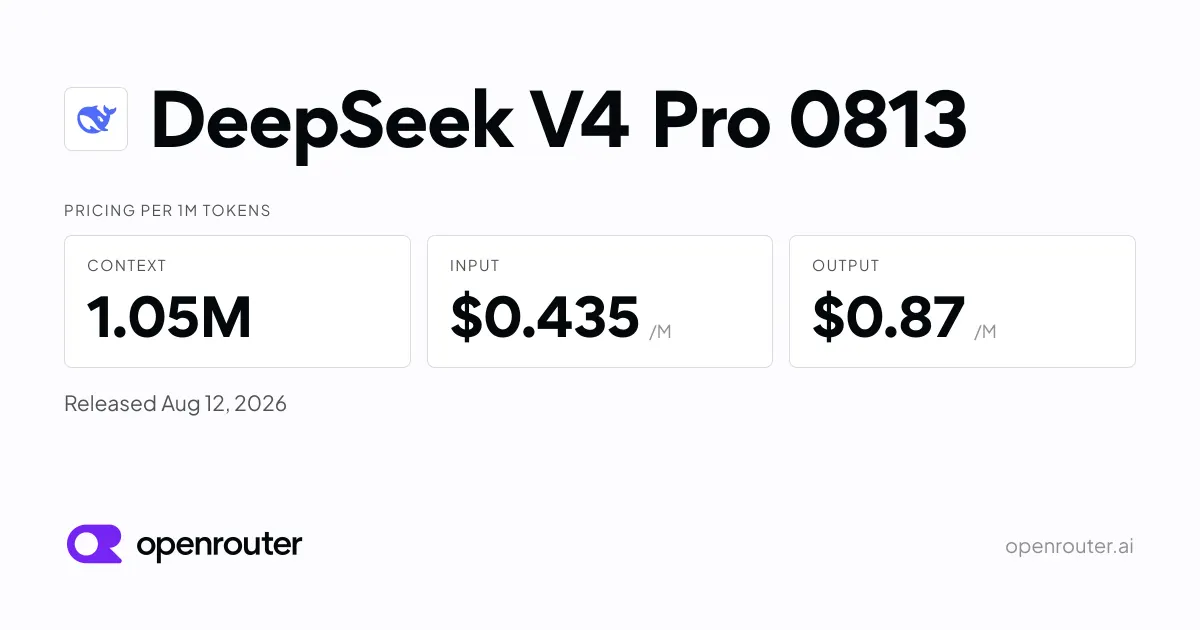
DeepSeek releases V4 Pro 0813. Reasoning and code get a boost.
DeepSeek's latest model update brings performance improvements focused on reasoning and code tasks. The new version is now available via OpenRouter.
Aug 14, 2026

DeepSeek V4 Pro gets upgraded. The model adds new capabilities mid-year.
DeepSeek released an updated V4 Pro model (0813 variant) with performance improvements and expanded capabilities. The update is now available through OpenRouter and other AI model platforms.
Aug 13, 2026
Developer resources
Related Tools
Claude is the best AI assistant for long-document work and research where accuracy matters. Its 200K context window and resistance to sycophancy make it the honest choice when you need a thinking partner rather than an agreeable assistant. Start on the free tier; the Pro plan at $20/month is worth it if you regularly hit daily limits.
ChatGPT is the most capable all-in-one AI assistant available. Its combination of image generation, voice mode, code execution, web browsing, and a large custom GPT ecosystem makes it the default choice for users who want one tool that handles everything. The tradeoff is that it is rarely the deepest tool on any single task.
Cursor is the most powerful AI code editor available. Its multi-file editing is genuinely ahead of plugin-based alternatives, making large-scale refactors practical in ways GitHub Copilot cannot match. At $20/month for Pro it is a meaningful upgrade for any developer doing more than small isolated changes.
GitHub Copilot is the right starting point for most developers adopting AI-assisted coding. It integrates into whatever editor you already use, requires no workflow change, and has a usable free tier. The Pro plan at $10/month is the lowest-cost path to unlimited AI completions, making it the practical default for individuals.
This page contains affiliate links. We may earn a commission at no extra cost to you. Learn more.